AI and editing
How to use AI in video editing without handing it the edit.
Let AI do the jobs that don’t need taste: transcribing, searching, sorting and flagging problems. Keep the jobs that do: which take, what order, what the piece is about. And know your footage yourself, because the hardest moment in this job is a client asking for something live, and you have to find it.
No matter how easy or hard it was to get to that first cut, presenting it will give you anxiety, however proud you are of it. The minute you watch something in front of someone else is always an emotional experience for an editor. Live sessions with a client rarely happen in the room anymore; they happen on Zoom, and when you’re under the gun and someone asks about a shot or an idea from the shoot, you need to find it right away. The best sessions I’ve had are the ones where the client asks for something I hadn’t thought of, or something that matters to them, and I find it in seconds and try it while they watch, without making them wait while I dig through footage. That’s the job. I built Rushes so the sorting happens before the call, and I walk into it knowing where everything is.
What AI is good for in an edit
The jobs that have one right answer and no taste in them:
- Transcribing every interview, so the words are searchable.
- Sorting material by who said it, what it’s about, and which of your questions it answers.
- Flagging what needs your attention: a doubtful sync, a question nobody answered, a clip it couldn’t place.
- Clearing the obvious junk with a record you can check: dead air inside an answer, crew talk between setups.
- Filing B-roll by what’s in the shot, so you can find the harbor at dawn without scrubbing six cards.
None of those decides anything about the film. They decide how fast you can get to the parts that do.
What Rushes does here
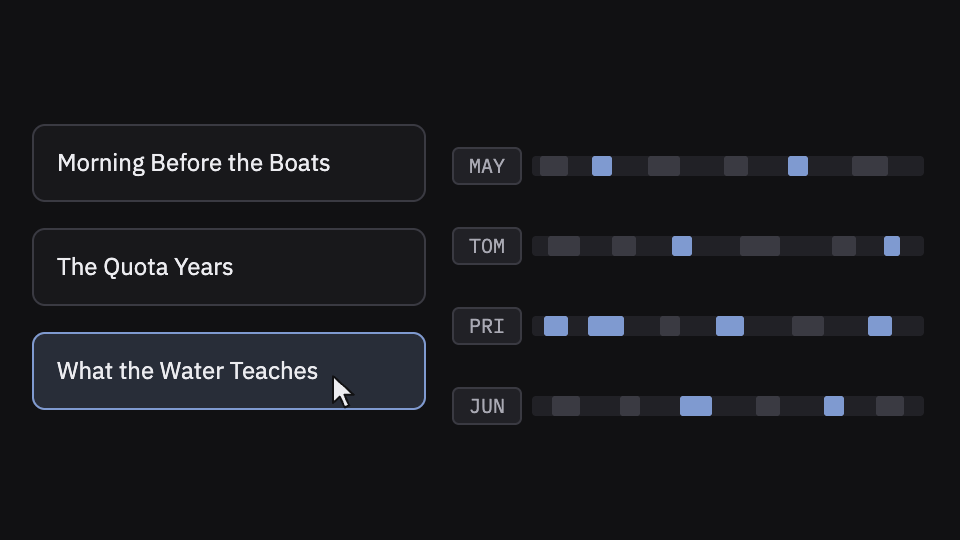
Rushes transcribes on your Mac. Its analysis reads the transcript text and sorts it into concepts, coverage and verbatim soundbites, or finds every take by slate on a scripted shoot. It sorts the B-roll into bins named from the picture, on your Mac. Pauses over three seconds inside an answer are cut by default, listed in a report, and come back with one key. Sync is measurement, not AI: Rushes checks every placement against the audio.
What AI shouldn’t do: the edit
Choosing the take, the order, the moment a piece turns: that’s editing, and it’s the part the client is paying you for. If an AI made your first cut and you tweaked it, you’re presenting someone else’s choices from footage you haven’t really seen. You don’t know what else is in the bins. Are you really doing your job as an editor?
It also breaks the live session. When the client asks “didn’t she say something about the first morning?”, the answer can’t be “let me ask the AI where that is.” Do you really want to ask a chat window where your footage is while you’re live with a client? I don’t.
What Rushes does here
Nothing. Rushes never picks the best take, never decides what follows what, and never builds a cut. It sorts, scores, flags and takes out the junk, and every removal is listed and reversible. The order stays yours.
Know your footage before the call
The edit you present is only half of what you bring to a session. The other half is knowing everything that didn’t make it in: every answer to every question, every take, every piece of B-roll, and where it all lives. That’s what lets you say yes to an idea in the moment.
- Read every interview side by side before you build, so you know who said what about each theme.
- Keep a timeline per theme and the full transcripts in the project, so a half-remembered line is one search away.
- Name your bins by what’s in them. At the end of a long day, “B-roll 3” is a guess.
What Rushes does here
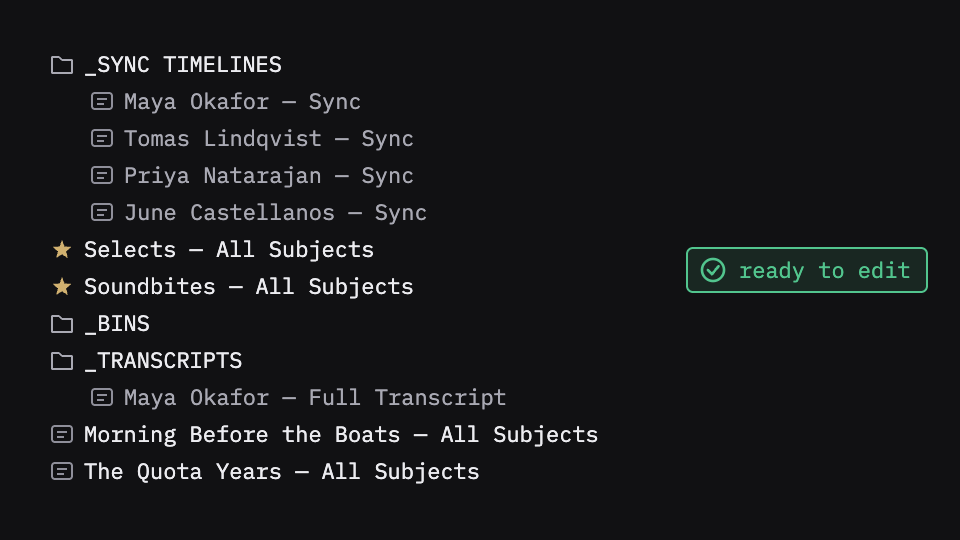
Rushes hands your NLE the project already organized: a sync timeline per subject, selects, soundbites, a concept timeline for every theme, transcript markers, and B-roll bins named from the picture. You walk into the session knowing what’s there and where.
What stays yours
Which answer lands, which take leads, what follows what, and the call you make live when the client asks for something new. Rushes sorts and scores; it never picks the best take or decides the order. That’s the edit, and it’s yours.
Try it on your own footage
Rushes is free to try: drop your drive, sync and verify every angle, transcribe on your Mac and run the analysis, no card required. You pay when you export to your NLE.