Assistant editor
How to prep your footage like an assistant editor, when you don’t have one.
An assistant editor’s prep is what makes an edit go smoothly: every angle synced and checked, everything transcribed, the takes laid out back to back so choosing is quick, and the project organized so you can find anything in seconds. Without an AE, do that same prep before you start cutting, so you start the edit fresh instead of already worn out.
For years, as a shooter and editor, I never prepped my own footage. I went straight to the edit, searched the footage, and dropped clips into a timeline until it became my V1. Then a large post house asked me to cut a job for a large agency and a big client, and because I was still on another project, they had an assistant editor prep everything before I started. I’d never had that luxury. The edit went more smoothly than any I’d done: I could find anything at a moment’s notice, review and sort everything easily, and, most of all, I wasn’t burnt out when the edit started. My head was clear for the only thing that mattered, finding the best moments. Later, when I finally had the budget to hire an assistant editor myself, I called that same person. They weren’t assisting anymore; they were editing. So were the next few I called. I trained a college student who was getting into editing, who did well, and then wasn’t available the next time I needed them. I built Rushes because I wasn’t going back to starting every edit already tired.
Get the footage in order: synced, checked and named
The unglamorous part, and the part everything else rests on:
- Sync every angle and check it. Timecode can be off; check placements against the audio and listen to the doubtful ones.
- Group by who and when. One group per person, split by shooting day. Don’t trust file dates; copies and transcodes rewrite them.
- Transcribe everything, from the mic that actually hears the words.
- Name things for the end of a long day, when you’re tired and the client is waiting.
What Rushes does here
Rushes groups the drive by subject and by day as it lands and measures every sync placement against the audio, including the clips that had timecode. When the clock is wrong the audio wins, and a yellow flag lands on the one file that needs your ear. Rushes transcribes on your Mac, from whichever recorder channel hears the words.
Lay out the takes so choosing is quick
Early on, someone asked me, “Can I see every take where they say that line?” I panicked. I didn’t have a stringout with those takes back to back. So I made one, sent it, and they picked the take they wanted. I was impressed with how easy that was, and I’ve worked that way since: it’s a far better way to choose than scrubbing clip by clip.
- Stringouts by line or by theme, so every version of the same moment sits back to back.
- Selects and soundbites word for word, cut to where the words start and stop.
- Junk out, with a record: long pauses, restarts and crew talk removed, and a list of what went.
What Rushes does here
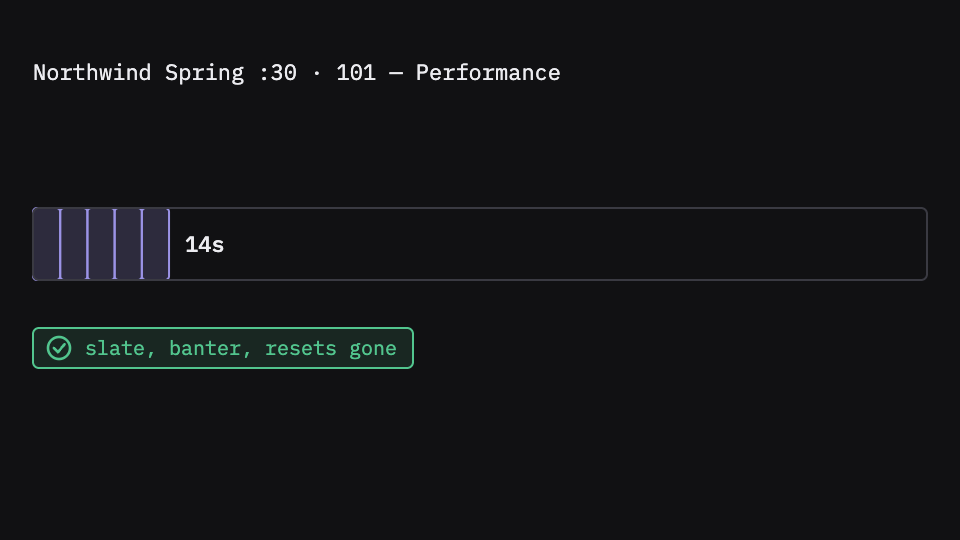
On an interview, Rushes builds a concept timeline for every theme, with every subject’s passages gathered, plus selects and verbatim soundbites you can audition with three keys: back, cut, next. On a scripted shoot, it reads the script supervisor’s folder, finds every take by slate, puts the circled takes in their own bin, and cuts the reads to the words in a performance stringout. Its script report answers “what covers line 3” with a play button on every take. Pauses over three seconds are cut by default, listed, and come back with one key.
Hand yourself a project you can find anything in
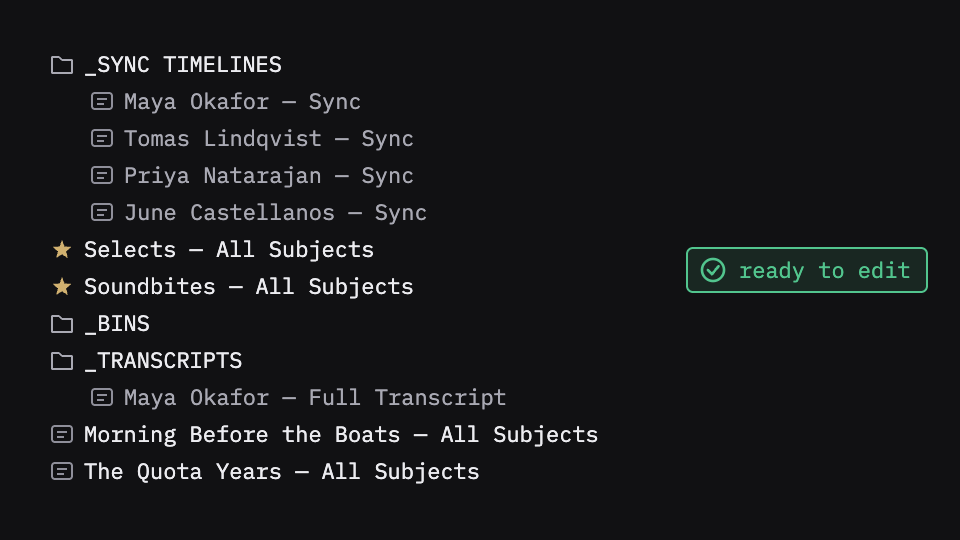
The test of good prep is the live session: someone asks for something, and you find it before they finish the sentence. That takes a project with one sync timeline per person, stringouts and selects beside them, transcripts you can search, B-roll in bins named for what’s in them, and a record of what was taken out.
What Rushes does here
Rushes exports all of it to Premiere Pro, Final Cut Pro or DaVinci Resolve: sync timelines, selects, soundbites, concept timelines or circled takes, B-roll bins and transcripts, built, named and binned, with a plain-text report beside the export listing what was built, what to look at, what was cut and what is marked.
What stays yours
Which take, which bite, what follows what. Rushes takes the mechanical part of the assistant’s job; the judgment stays with the editor. And if you do have an assistant editor, Rushes gives them the mechanical part too, so their time goes to the calls that matter.
Try it on your own footage
Rushes is free to try: drop your drive, sync and verify every angle, transcribe on your Mac and run the analysis, no card required. You pay when you export to your NLE.