Documentary
How to organize interview footage for a documentary edit.
Sync and check every angle, transcribe everything, then read all your interviews side by side instead of one at a time: what each person said about each theme, which of your questions got answered, and the bites worth keeping, word for word. Do that before you build a single sequence. The story, the order and the choice of take stay with you.
The version of this I know best wasn’t even a documentary. It was a branded piece for an agency I work with a lot and want to keep working with. We wrapped on a Friday, and they wanted something to show their client on Monday. I told them the time wasn’t enough. These days the answer is always the same: it doesn’t have to be final, they just want to show something. We all know how that goes. So I spent the whole weekend sorting interviews, when what I should have been doing was finding the best moments to turn in. I built Rushes so the sorting is done by the time I sit down, and the weekend goes to the part only I can do.
Get every angle in sync, in order and transcribed
A documentary interview is usually two cameras and a recorder, sometimes a phone, often over more than one day. Get every angle onto one clock first, because everything after this inherits the sync. Timecode alone isn’t proof: a generator wanders, the whole interview sits two frames off, and you find out in the mix.
Group the drive by person and by shooting day, and don’t trust the file dates; copies and transcodes rewrite them. Then transcribe every interview in full, from the mic that actually hears the words. That’s the lav, never the camera’s scratch track.
What Rushes does here
Rushes groups the footage by subject and by day as it lands and shows where each day’s dates came from. It measures every sync placement against the audio, including the clips that had timecode, and when the clock is wrong the audio wins. A yellow flag lands on the one file that needs your ear. Rushes transcribes on your Mac, from whichever recorder channel hears the words, and your footage and audio never leave the machine.
Read the whole set before you build anything
Read across people, not one interview at a time. One interview gives you ideas. The whole set, side by side, shows where people echo, contradict or finish each other’s thoughts, and that’s what a documentary is built from.
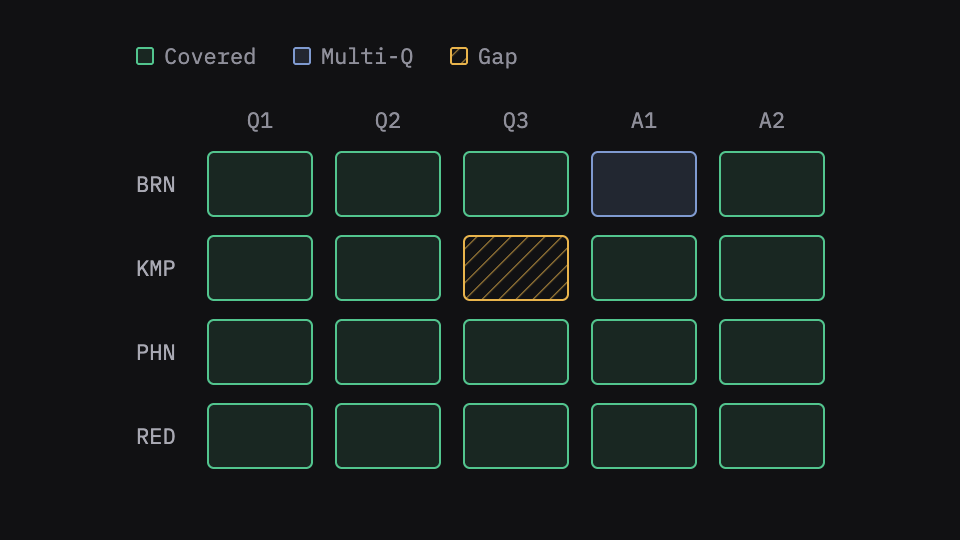
Check your questions while you can still ask them again. Put the questions you asked next to what each person actually said. The gaps are the questions nobody really answered, and finding them on the shoot day means you can still go back in.
Keep the bites word for word. A paraphrased note of what someone said is how you end up hunting for a line that doesn’t exist. Keep the real words, cut to where they start and stop.
Clear the junk, but keep a list. The long pause before an answer, the “sorry, can I start that again”, the crew talking between setups. None of it is going in the film, and none of it should vanish without a record.
What Rushes does here
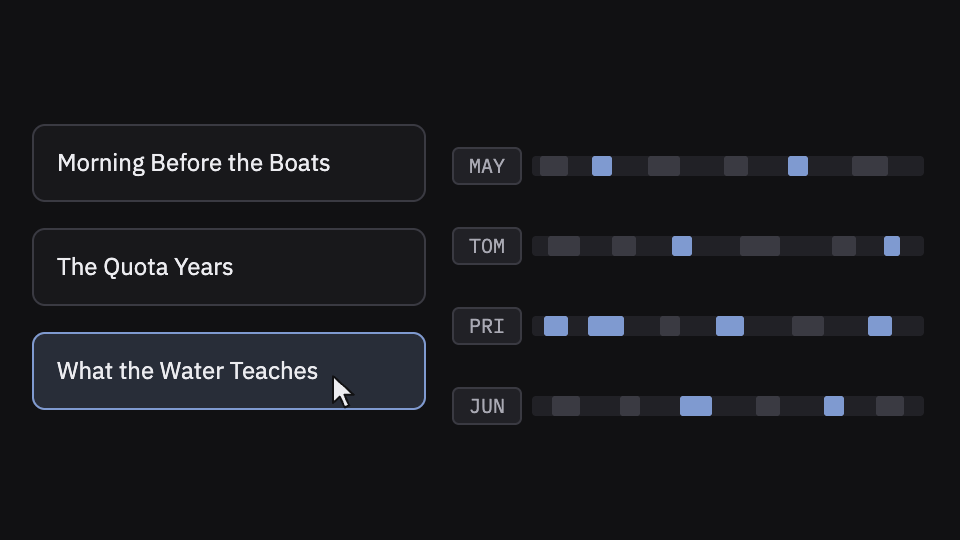
Type in your brief and your questions, and Rushes reads every interview at once. Concept cards gather what every subject said about the same theme, and the coverage map shows which question nobody answered, while the subject is still in the building. Every candidate bite is verbatim, cut to the frame of the words, and you audition the whole pile with three keys: back, cut, next. Pauses over three seconds inside an answer are cut by default, listed in a report, and come back with one key. Longer crew talk is marked on the timeline, named with its length and its words.
Open the edit with the project already built
The first thing you do in the NLE should be watching, not organizing: a sync timeline per person, the selects and soundbites pulled, a timeline per theme, the transcripts beside them, and the B-roll in bins you can actually find things in.
What Rushes does here
Rushes sorts the B-roll on your Mac into bins named from the picture, gives every bin a stringout, and suggests the B-roll that looks like what each concept says. Then it exports everything to Premiere Pro, Final Cut Pro or DaVinci Resolve: sync timelines, selects, soundbites, concept timelines, B-roll bins and transcripts, built, named and binned.
What stays yours
Which answer lands, which bite leads, what follows what. Rushes sorts and scores; it never picks the best take or decides the order. That’s the edit, and it’s yours.
Try it on your own footage
Rushes is free to try: drop your drive, sync and verify every angle, transcribe on your Mac and run the analysis, no card required. You pay when you export to your NLE.